RecipeClip Docs
Step-by-step guides for saving, planning and cooking with RecipeClip, with a screenshot at every step.
Popular
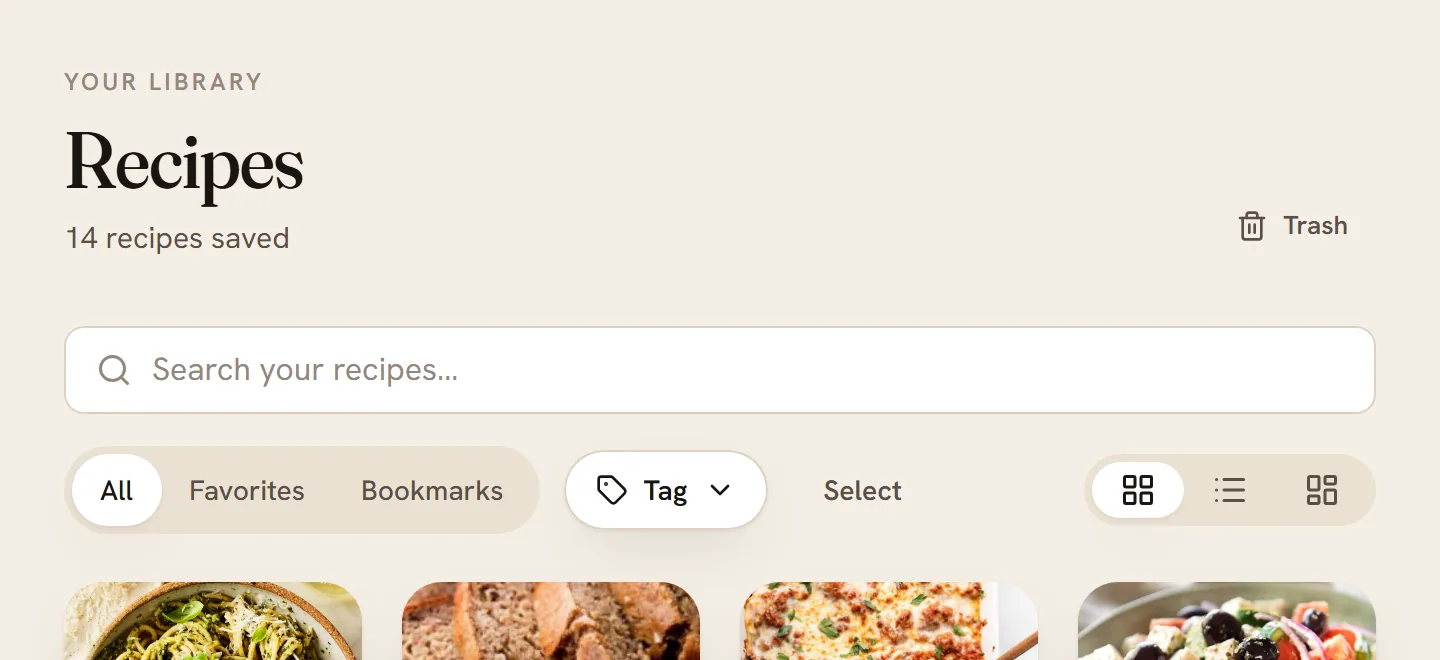
Get started with RecipeClip
Create an account, set up your kitchen, save your first recipe and find your way around in about five minutes.
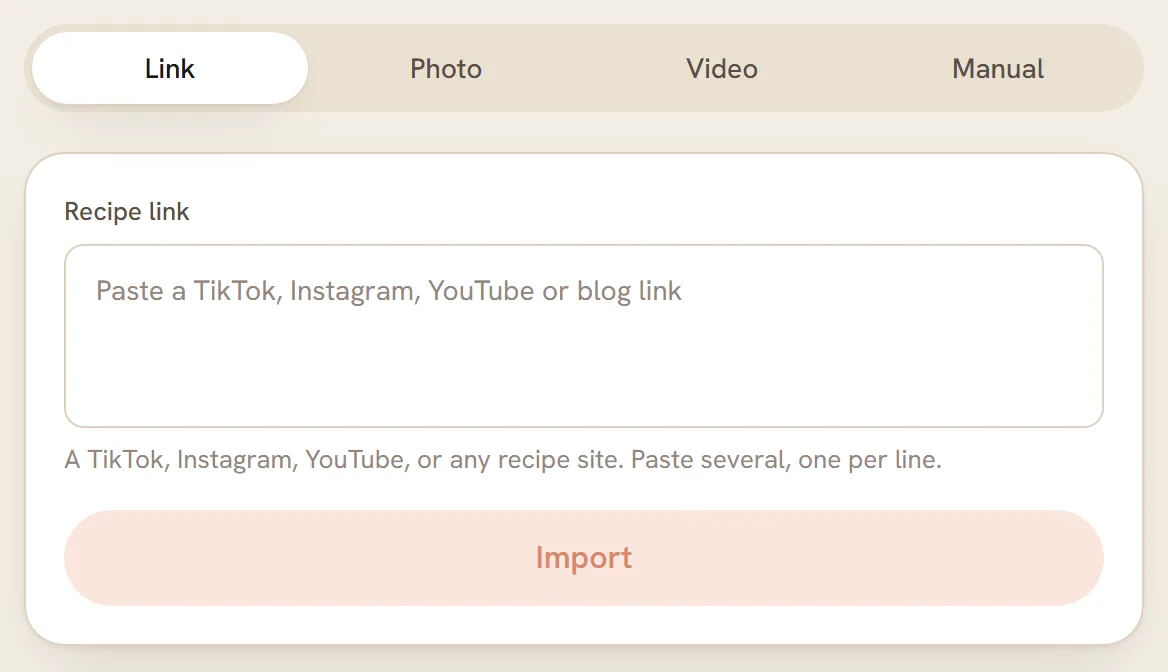
Save a recipe from a link or video
Paste a link from a recipe site, YouTube, TikTok, Instagram or Facebook and get a clean recipe card in your library.
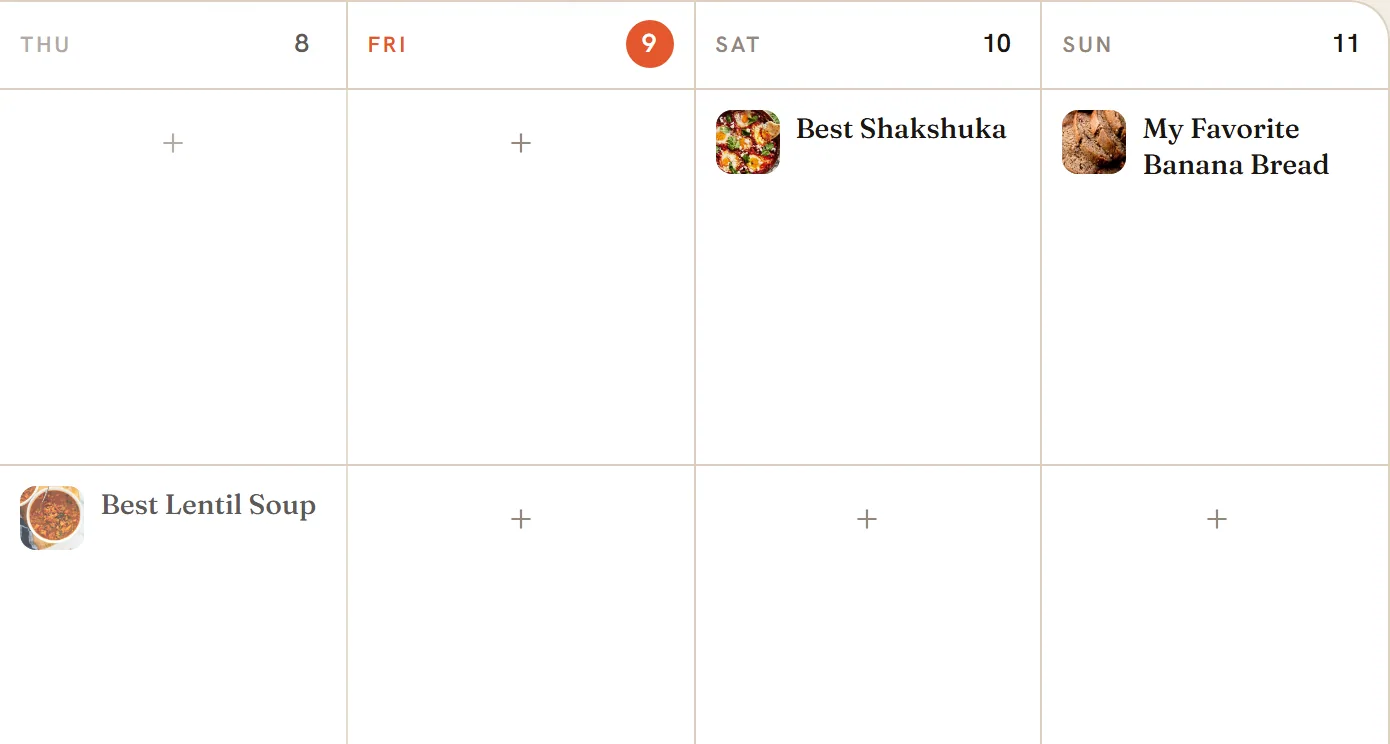
Plan your meals
Put saved recipes on a week or month calendar for breakfast, lunch and dinner, then move, remove or repeat them.
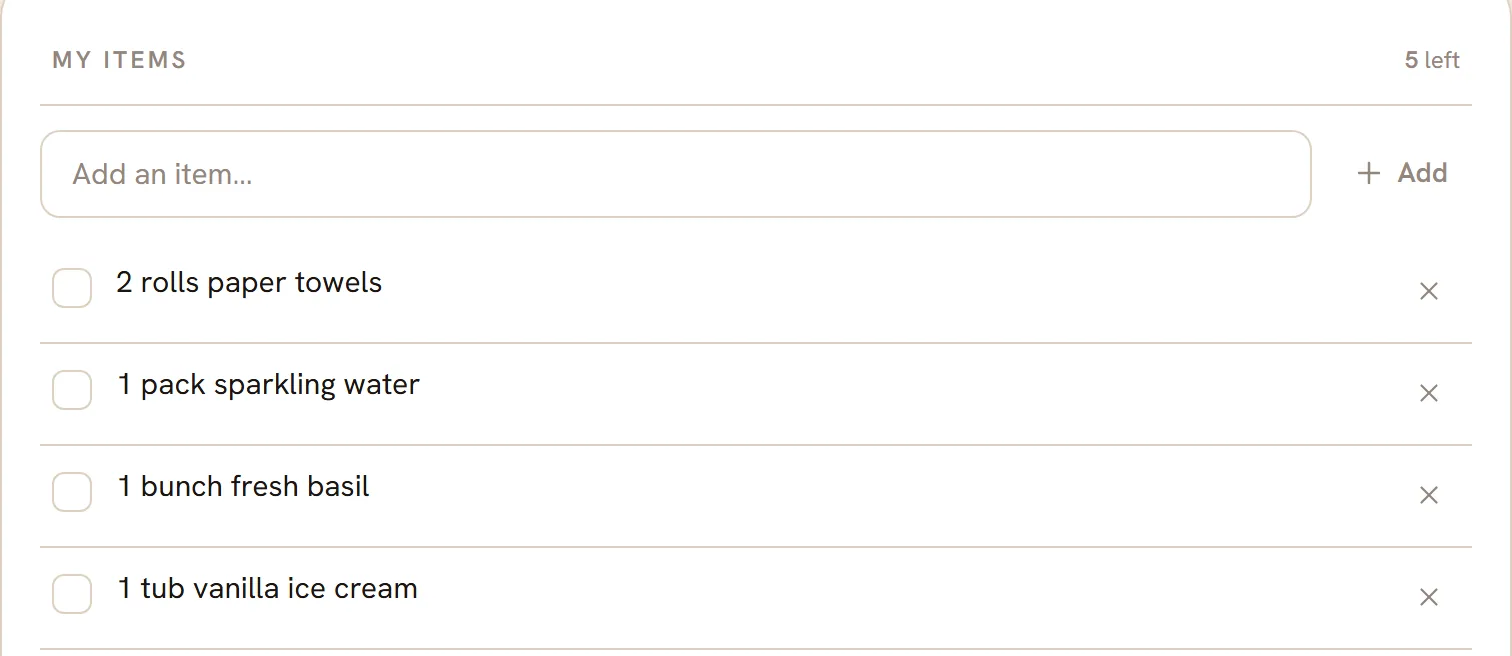
Make a grocery list
Turn the meals on your plan into one shopping list, sorted by aisle, with your own extras and your pantry left out.
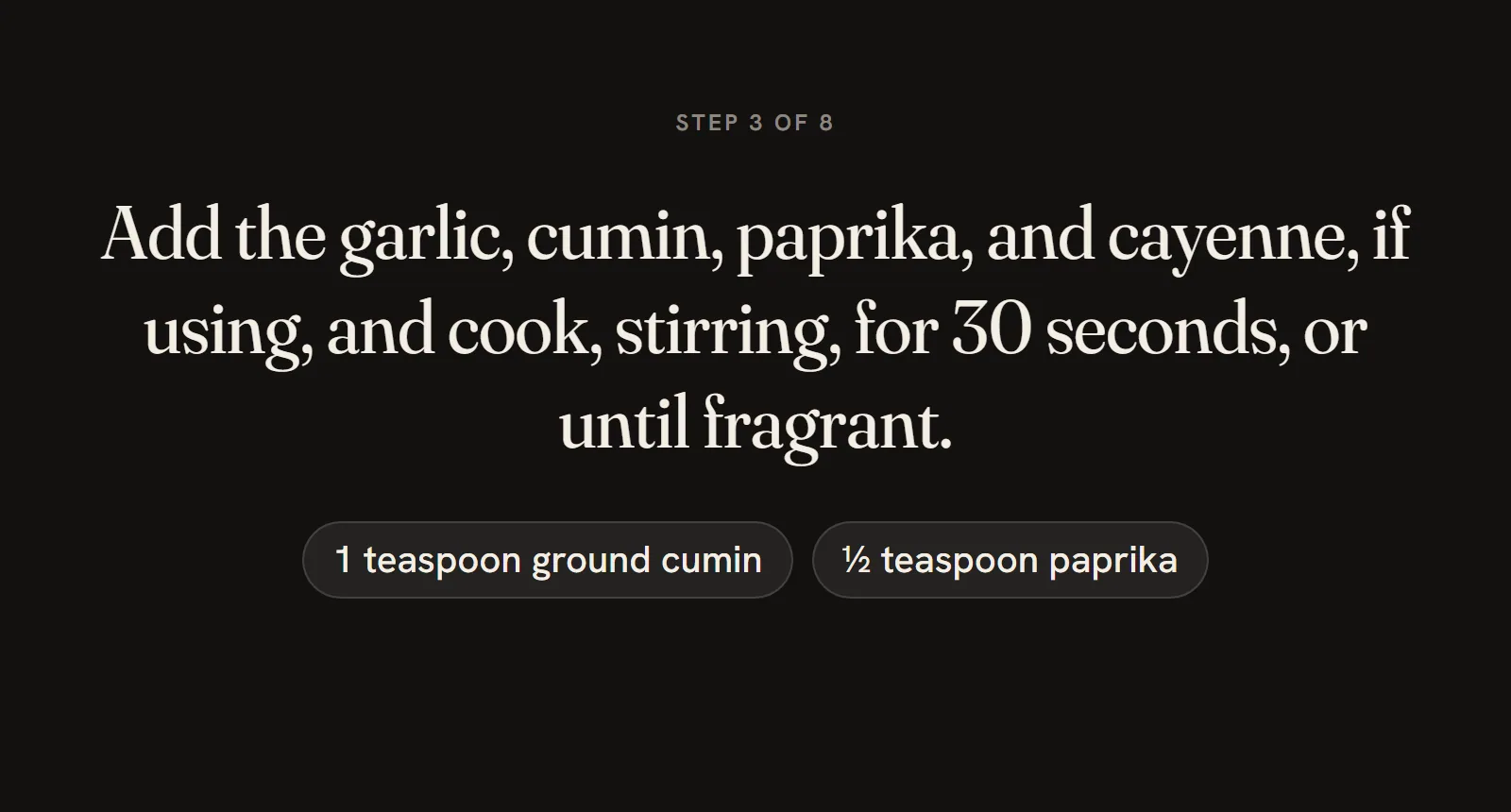
Cook step by step
Cook mode shows one big step at a time, with the ingredients for that step, timers, and a place to rate the dish.
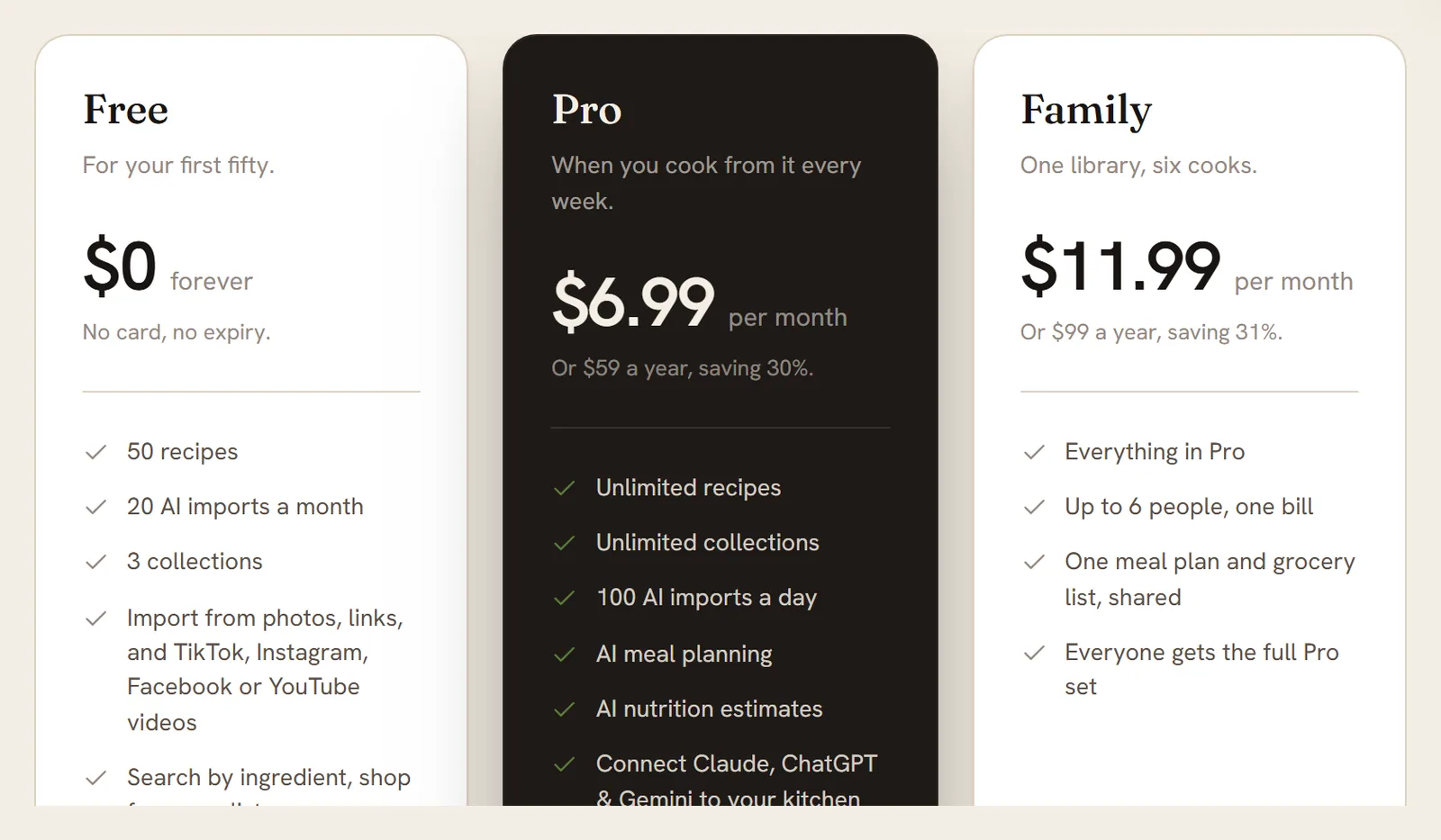
Free, Pro and Family
What each plan includes, what it costs, how to see how much you have used, and what happens at a limit.
Getting started
Set up your account, install the app and see what each plan includes.
Get started with RecipeClip
Create an account, set up your kitchen, save your first recipe and find your way around in about five minutes.
Put RecipeClip on your home screen
Add RecipeClip to your phone, tablet or computer so it opens in one tap and runs full screen.
Free, Pro and Family
What each plan includes, what it costs, how to see how much you have used, and what happens at a limit.
Saving recipes
Bring recipes in from links, videos, photos, or type them yourself.
Save a recipe from a link or video
Paste a link from a recipe site, YouTube, TikTok, Instagram or Facebook and get a clean recipe card in your library.
Save a recipe from photos or screenshots
Photograph a cookbook page, a magazine clipping or a handwritten card, or add a screenshot, and get a recipe card.
Upload a cooking video
proUpload a short cooking video from your device and RecipeClip watches it and writes the recipe down.
Type in a recipe
Write a recipe in yourself: a title, ingredients and steps. Good for family recipes that only live in your head.
When an import is slow or fails
What each import message means, what RecipeClip retries for you, and what to try when a link or photo will not import.
Your recipes
Find, edit and organize everything you've saved.
Find your recipes
Search your library, filter it by favorites, bookmarks and tags, switch between grid, list and board, and pick several recipes at once.
Use a recipe page
Scale the servings, tick off ingredients, check your pantry, read the steps and notes, and find every button and menu item on a recipe.
Switch between metric and US units
Show a recipe's amounts and oven temperatures in metric or US measures, on the recipe page, in cook mode and on paper.
Edit a recipe
Fix a title, change an amount, add a note or record which cookbook a recipe came from, then go back to an older version if you change your mind.
Add photos to a recipe
Add your own photos, choose the cover, write captions, view them full screen, or let Pro make an AI picture of the dish.
Organize recipes into collections
Group recipes into themed sets like Weeknight Dinners, decide who can see each set, and share one with a single link.
Delete and restore recipes
Delete a recipe on purpose, get it back within 30 days, or remove it for good.
Cooking
Cook step by step, use what you have, and keep a log.
Cook step by step
Cook mode shows one big step at a time, with the ingredients for that step, timers, and a place to rate the dish.
Find recipes from what you have
Tell RecipeClip what is in your kitchen and it sorts your saved recipes by how close you are to dinner.
Swap an ingredient
proOut of an ingredient? Ask for swaps that fit the recipe, with ratios and notes on how the dish will change.
Log what you cooked
Keep a diary for each recipe: when you made it, how it went, what you changed, and a photo of the result.
Your monthly cooking recap
See how many meals you cooked this month, your longest streak and most-cooked dish, and share a card with friends.
Planning and shopping
Plan the week and turn it into one grocery list.
Plan your meals
Put saved recipes on a week or month calendar for breakfast, lunch and dinner, then move, remove or repeat them.
Plan a week with AI
proTell RecipeClip how many days, which meals and what the week should be about, and it fills your plan from recipes you already saved.
Prep the week in one session
proTurn the meals on your plan into one batch-cooking checklist, with what to do first, how to store it and what to leave for the day.
Share your meal plan
Make a link to your plan for a stretch of days and send it to anyone. They can open it without an account.
Add your meal plan to your calendar
Get a private link that shows your planned meals in Google Calendar, Apple Calendar or Outlook, next to the rest of your day.
Make a grocery list
Turn the meals on your plan into one shopping list, sorted by aisle, with your own extras and your pantry left out.
Pantry and nutrition
Track what's on your shelves, what you eat and what you can't eat.
Keep track of your pantry
List what is already in your kitchen so you can leave it off your grocery list and count it when you ask what you can cook.
Scan your fridge or shelves
Photograph your fridge or a cupboard shelf and RecipeClip lists the ingredients it can see, ready to add to your pantry.
Log what you eat
Keep a day-by-day food diary: log a meal from a list, by hand or from a photo, fix any entry, and see the day add up.
Set daily nutrition targets
proSet a daily goal for calories, protein, carbs, fat and fiber, and watch each day's diary measure up against it.
Set your diet and allergies
RecipeClip can't tell you a recipe is safe. Set your allergens (gluten, peanuts, milk and more), diet and dislikes so recipes can warn you about them, and always read labels.
Household
Cook with up to six people on the Family plan.
Start a household
familySet up a household on the Family plan so up to 6 people share a meal plan, a grocery list and chosen recipes.
Invite and manage members
familyInvite people to your household by email, copy or resend an invitation, take one back, or remove a member.
Share recipes, plans and lists
familyPlan dinners on one household calendar, shop from one grocery list, and share recipes with the people in your household.
Vote on next week’s dinners
familyEveryone in the household suggests recipes and votes. When the owner, or whoever started the round, builds the plan, the top picks go onto next week's empty dinner slots.
Account and billing
Your plan, payments, settings and data.
Start a free trial or upgrade
Try Pro or Family free for 14 days, pick monthly or yearly billing, and see what happens at checkout and when the trial ends.
Change or cancel your plan
Switch between Pro and Family, move to yearly billing, cancel, or change your mind, all from the billing page.
Payment methods and invoices
Update your card, change the name and address on your invoices, download receipts, and fix a payment that did not go through.
Give a month, get a month
Share your link. A friend who subscribes through it gets one month off their first payment. You get a credit worth one month of your own plan once their first real payment goes through.
Your settings
What each part of Settings does: your plan and usage, the weekly email, food interests, the privacy choice, your name and username.
Sign in and passwords
Sign in with email or Google, reset a forgotten password, change your password in Settings, and sign out.
Export your data
Download your recipes, meal plans, cooking log and pantry as one file, on any plan.
Delete your account
Permanently delete your account and data from Settings. It is immediate, it cancels any paid plan, and it cannot be undone.
Connect an assistant or use the API
Pro and Family members can use their recipes, plan and grocery list from Claude, ChatGPT and Gemini, or call the REST API.
Open the developer docs