How to Save a Recipe From a Facebook Video
Facebook's Save button only bookmarks the post. We ran 22 public Facebook videos through our tool to see where the recipe actually lives.
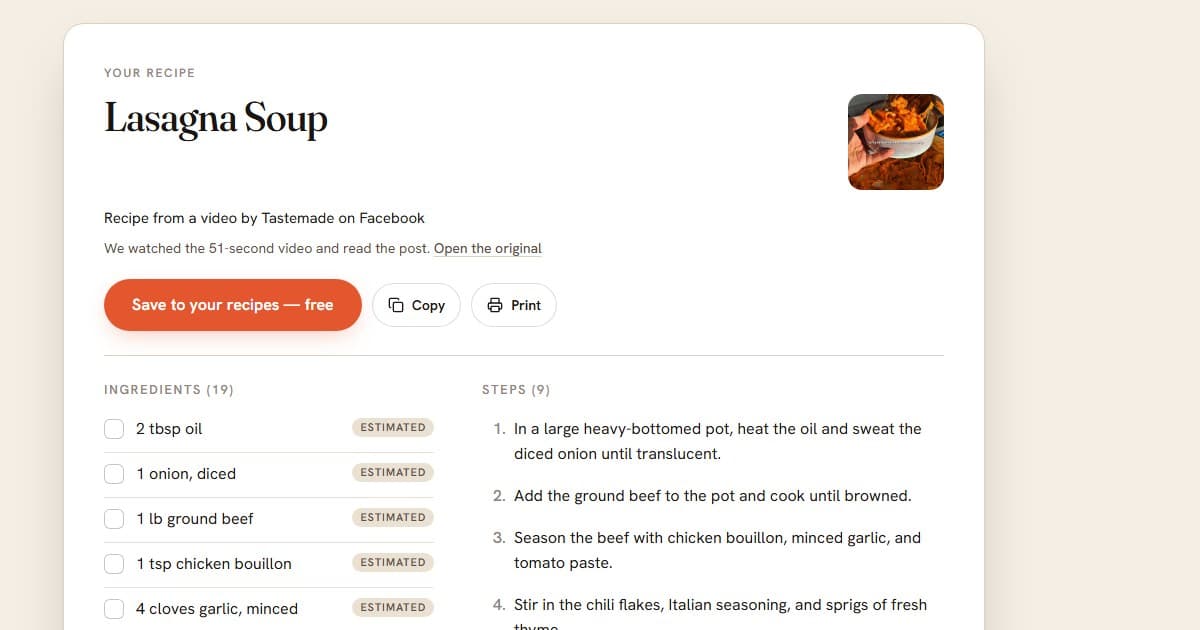
To save a recipe from Facebook, expand the caption with "See more" and look for the recipe or a link to the creator's own page. If neither is there, copy the video's link and paste it into our free Facebook video-to-recipe tool, which watches the video and writes out the ingredients and steps. Then keep the result somewhere that is not Facebook. The Save button does not do that job, because it stores a link to the post and nothing else.
We tested how often each route is the right one. In October 2026 we ran 22 public Facebook recipe videos through the tool, and the caption held the full recipe in only 2 of them. The numbers are below, along with how we picked the videos and where the tool got it wrong.
Why Facebook's Save button fails as a recipe box
Saving a post puts it in a Saved list inside Facebook. That list holds a pointer, not a recipe:
- The video stays on Facebook. If the creator deletes the post, makes it private, or the page disappears, the saved entry points at nothing.
- Nothing is written down. The ingredients are spoken or flashed on screen for a second, so cooking from a saved reel means scrubbing the same ten seconds back and forth.
- You cannot search it by ingredient, and you cannot add a note like "used half the sugar."
- It sits next to everything else you saved on Facebook, including the travel clip and the concert you wanted to remember.
A recipe you plan to cook in March needs to be text you own. Everything below is about getting it there.
The four places a Facebook recipe can live
Check these in order, because each one is faster than the next.
- The caption. Tap "See more" first. Facebook collapses long captions, so the recipe may be sitting behind that link.
- A linked recipe page. Many pages put the full recipe on their own website and link to it from the caption.
- Text on the screen. Plenty of reels flash each ingredient and amount as a label while the cooking happens.
- The narration. Some creators say the amounts out loud and show nothing.
The first two give you real written amounts. The last two mean someone, or something, has to watch the video.
What we measured: 22 public videos
We wanted to know how often the caption is enough. So we ran a small test and kept the rules simple so we could not cherry-pick.
- How the videos were picked. We typed the Facebook page names of 17 well-known food brands and creators and looked at each page's Reels tab in a logged-out browser. Six pages showed no reels to a logged-out visitor and were skipped. The other 11 pages gave us the first two reels listed on each, 22 in all. One of the 11, a page we assumed was a food blog, turned out to be a family page that posts hot-air-balloon clips. We left its two videos in the count rather than swap them.
- What we ran. Each link went through our free tool as an anonymous visitor. We then read each full caption ourselves and sorted the post by where the recipe really was.
- What we did not measure. Whether every quantity matches the creator's real recipe. That is a separate test with its own answer key. We also did not include any post from a group, so what we say about groups below comes from how Facebook works, not from this run.
"Lines" are the ingredient lines the tool wrote out, and the number in brackets is how many of those it marked as estimated.
| Where the recipe lived | Videos | Lines |
|---|---|---|
| Whole recipe typed in the caption | 2 | 25 (2) |
| Caption links to the creator's written recipe | 4 | 57 (0) |
| Caption names the creator's site, no link | 1 | 10 (8) |
| Caption says it is elsewhere (a cookbook, or "comment RECIPE") | 4 | 33 (32) |
| Caption only describes the dish | 5 | 78 (68) |
| Promo or opinion post with no single recipe | 3 | n/a |
| Not a recipe video at all | 3 | none |
Four findings stand out.
The caption is the exception. Of the 19 posts that were meant as recipes in some way, 2 had the whole recipe in the caption. Another 4 linked to a written recipe. That leaves 13 where a reader has to go elsewhere or watch the video. Big brand pages seem to use the video as a trailer for the website, the cookbook or the comment-for-recipe automation.
A link in the caption is the best case. For the 4 linked posts, the tool followed the link, read the creator's written recipe, and used its amounts. None of the 57 ingredient lines was marked as estimated. If a caption has a link, the written recipe is the source to trust and the video is a preview.
When only the video exists, amounts are often guesses. Across the 10 videos where the caption gave no recipe and no link we could follow, the tool wrote 121 ingredient lines and marked 108 of them (89 percent) as estimated. That is the tool being honest: the video never showed or said the amount, so it filled in a typical one and labelled it. A recipe card from a video that never states quantities is a sketch of the dish. Check the amounts against your own judgment before you cook from it.
Three clips were not recipes, and the tool said so. Two balloon videos and one travel clip each came back with the message that no recipe was found. That is the right answer. The three promo posts were harder: a cookbook review returned a full breakfast strata with amounts we did not check against the video, one clip returned a four-ingredient pasta with every amount estimated, and a trailer for a YouTube episode about five ground turkey dinners came back as one 23-line list that mixes all five dishes together. That last result is wrong in a way a person would catch immediately, and we count it as a miss. If a post is a trailer for several recipes, use the full episode, not the reel.
On speed, all 22 requests finished between 3 and 19 seconds, with a median of 8. The videos we watched ran from 23 seconds to 1 minute 35.
Which links work and which do not
Public pages, public reels and public groups' posts that Facebook shows to a logged-out visitor can be read. Private groups and friends-only posts cannot be read by any tool, ours or anyone else's, because Facebook asks for a login before it shows them.
These link shapes work in our tool:
- A reel:
facebook.com/reel/... - A watch link:
facebook.com/watch/?v=... - A page video:
facebook.com/PageName/videos/... - A short link:
fb.watch/... - A share link from the Facebook app, or a whole shared message with a link in it
These do not: a page or profile link, a photo post, a slideshow, or a video over 3 minutes. A free account watches videos up to 20 minutes.
To tell which kind of post you have, use two checks:
- Look at the small icon beside the poster's name. A globe means Public. A friends icon or a group name with "Private group" under it means it is closed.
- Paste the link into a private or incognito window. If the video plays without asking you to log in, a tool can read it. If you hit a login page, it can't.
Step by step: from Facebook to a recipe card
Copy the link. On your phone, tap Share under the video, then Copy link. On a computer, click Share under the video and choose Copy link, or copy the address bar on a reel page.
Paste it into the tool. Open the free tool, paste the link, and press the button. It takes about 8 to 25 seconds. You get 3 free tries a day, shared across our free video tools, and no account is needed.
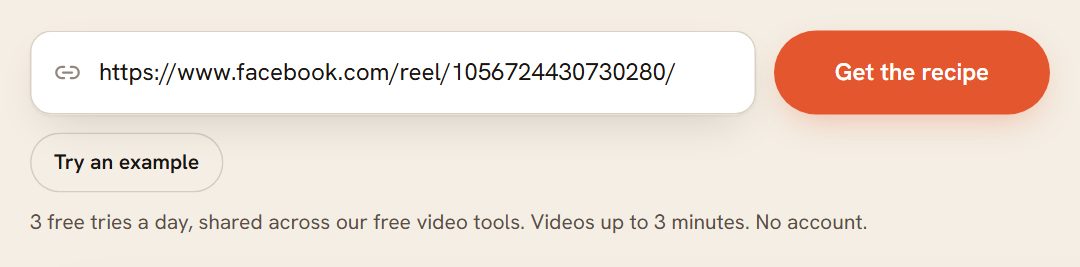
Read the basis line. Under the title, the tool says what it looked at: "We watched the 89-second video and read the post," or, if the file could not be opened, that the recipe comes from the post text or a linked page.
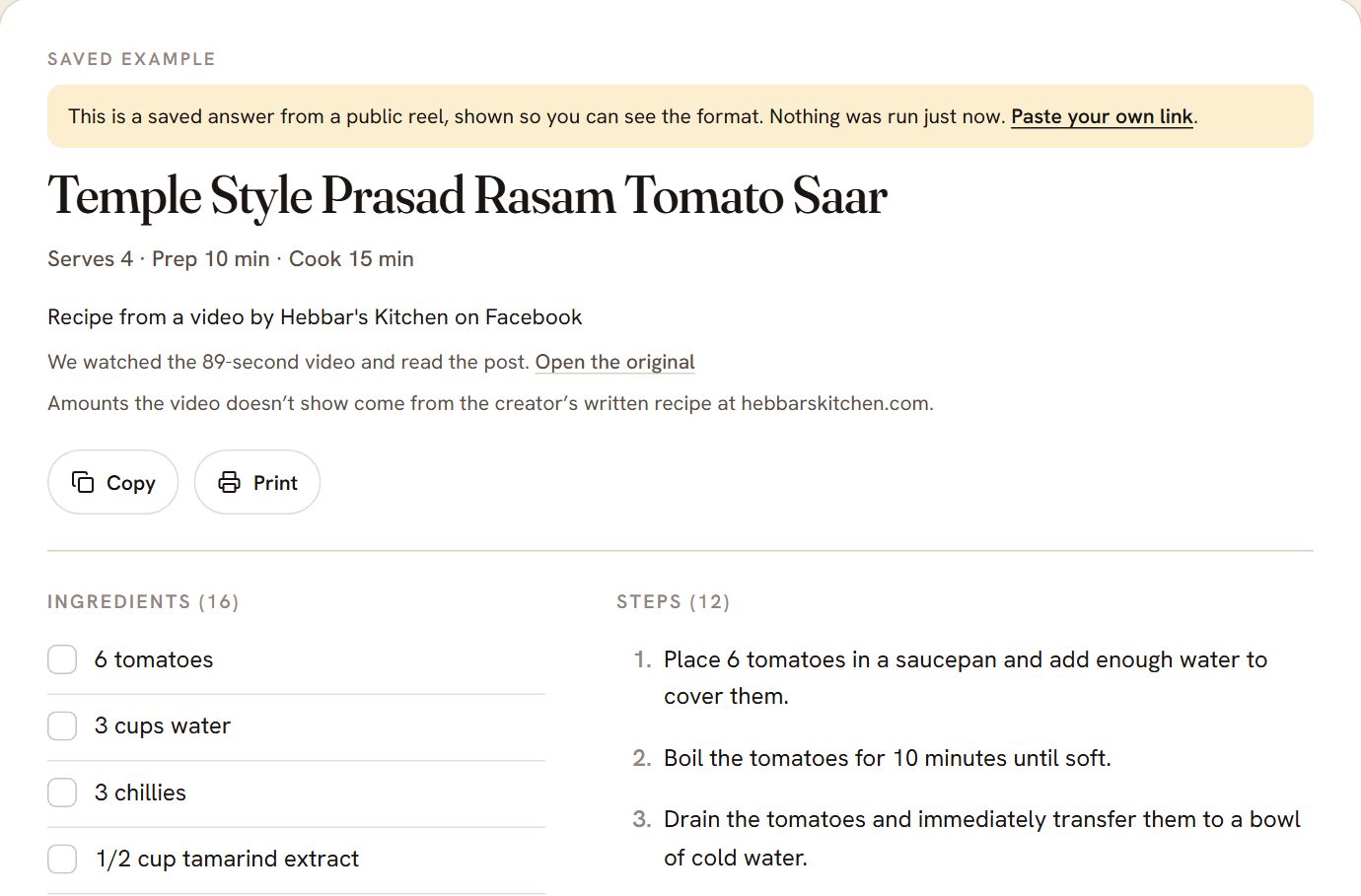
The card above is the tool's saved example (a public reel from Hebbar's Kitchen), which the page labels as saved. A link you paste is run live and looks the same.
Check the amounts. Look for the "estimated" labels. An ingredient with that label was not shown or said in the video. Also check servings and units, and read the steps once for an ingredient that is used but missing from the list.
Keep it. Copy the text, print the card, or save it to your recipes.
The tool credits the creator and links back to the original post, so the card stays honest about where it came from. The help article has screenshots of every step and the full list of messages you might see.
When the caption has the whole recipe
Two of our 22 posts did, and the cleanest move there is to skip any tool: copy the caption. On a phone, tap "See more," then press and hold the text and choose Copy. On a computer, expand it and select the text. Paste it into a notes app or a recipe app.
Facebook's own route has limits worth knowing:
- Facebook has no recipe view or print layout for a post. Printing the page from your browser prints whatever the browser makes of the page, not a clean card, so print from the pasted text instead.
- Copying keeps emoji, hashtags and the creator's line breaks. Ingredients and method often arrive as one block, and you will probably retype the headings.
- A caption that says "tap the link in the comments" is a problem for any tool. Comments need a login to read, so our tool cannot see a link that was posted there. Open the comments yourself and copy the link.
When the recipe is only in the video
You have two options. The first is to let the tool watch it, as above, and treat estimated amounts as a starting point. The second is to find the creator's written version, which is often the better recipe.
For the second, search the dish name and the creator or page name together. A creator who posts recipe videos usually has a site, and the full recipe is often the first result. Compare it against the video: creators sometimes re-shoot a recipe with changes, and the video is what you saw, so if the two disagree, trust the one you actually want to cook.
Some creators never wrote it down. In our set, two captions said the recipe was "only in the book," and two said to comment RECIPE to receive it. The first is a promotion for a cookbook, and the second is a request the creator or their account answers by message. Neither gives you a recipe you can take away on the spot. If you still want the dish, the tool's version of the video is the closest thing available, with the estimated amounts flagged.
Keep it where you can find it
Once the recipe is out of Facebook, the habit that matters is putting it into one searchable place rather than a fourth folder. Our guide to building a recipe collection covers tags and naming, and the same approach works for recipes from Instagram, TikTok and YouTube. Save it under what the dish is, not under "Facebook."
If you want the cards to stay, save the result to your recipes. A free RecipeClip account keeps up to 50 recipes, and the original video can disappear without taking the recipe with it. (Disclosure: RecipeClip is the app this post is published on, and the tool above is ours.)
Frequently Asked Questions
Can I save a recipe from a private Facebook group? Not with any tool. Facebook requires a login to show those posts, so a tool that does not log in cannot see them. Copy the text yourself while you are signed in.
Why does the tool say some amounts are estimated? Because the video never showed or said them. The tool fills in a typical amount for that dish and marks it, so you can tell it apart from an amount the creator gave. In our test, 108 of 121 ingredient lines from videos with no written recipe were marked this way.
What if the post says the recipe is in the comments? The tool reads the post, not the comments. Open the comments, find the link or the text, and paste that link into a recipe tool instead.
What if I paste a video that is not a recipe? It says it found no recipe. In our test it said so for all three non-recipe videos.