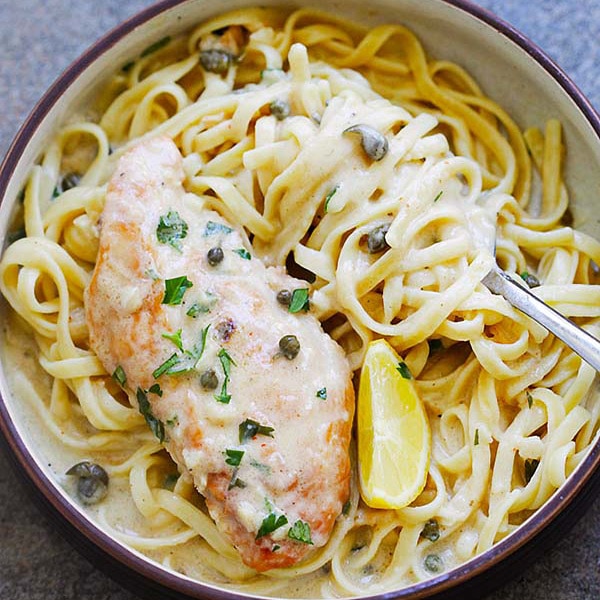
Instant Pot Creamy Chicken Piccata
Ingredients
- 1 lb boneless and skinless chicken breast (sliced horizontal into halves)
- ¼ cup all-purpose flour
- 1 pinch salt
- 3 dashes ground black pepper
- 1 tablespoon olive oil
- 1 tablespoon unsalted butter
- 2 cloves garlic (minced)
- ½ cup chicken broth
- ½ cup heavy whipping cream
- 2 tablespoons grated Parmesan cheese
- ¼ teaspoon salt (or to taste)
- 2½ tablespoons lemon juice
- 1 tablespoon non-pareil capers in jar (use the capers only)
- 1 tablespoon chopped parsley
Steps
- 1
Wash and rinse the chicken breasts with cold water, then pat them dry with paper towels. Slice the chicken horizontally. In a dish, mix the flour, salt, and pepper. Dredge the chicken generously in the flour.
- 2
Turn on the sauté mode on your Instant Pot. Once the pot is fully heated (to prevent the chicken from sticking), add the olive oil and butter. Brown the chicken on both sides for about 2–3 minutes until they are golden brown. (You can also brown the chicken in a regular or non-stick skillet.)
- 3
Add the garlic and cook for a short time. Then, add the chicken broth, heavy whipping cream, grated Parmesan cheese, salt, lemon juice, and capers. Cover the pot and select the Manual setting, setting it to High Pressure for 10 minutes. When it beeps, turn to Quick Release. Once the valve drops, carefully remove the cover.
- 4
Switch to sauté mode and cook for 1–2 minutes to reduce the sauce. Adjust the seasoning by adding more salt and lemon juice to taste. Top with chopped parsley and serve immediately with plain pasta, such as spaghetti or linguine.